
Set up safely.
See what’s new.
Everything needed to install the test build, start a drive, use community reports and understand the latest changes.
Latest testing APK: v0.10.0
For approved testers. Not a Google Play release.
Quick start.
Complete setup while parked. Do not change settings or submit reports while moving.
Download the latest approved APK
Use the download button above or the update button inside Camera Companion. Only install the APK hosted at camera.viralmesh.co.uk. Allow installation from your browser if Android asks, then re-disable that permission after installation.
Allow location and notifications
Precise location powers nearby-camera warnings and the driving map. Notifications keep the driving status and Stop control available. The floating panel’s display-over-other-apps permission is optional.
Try the sample drive
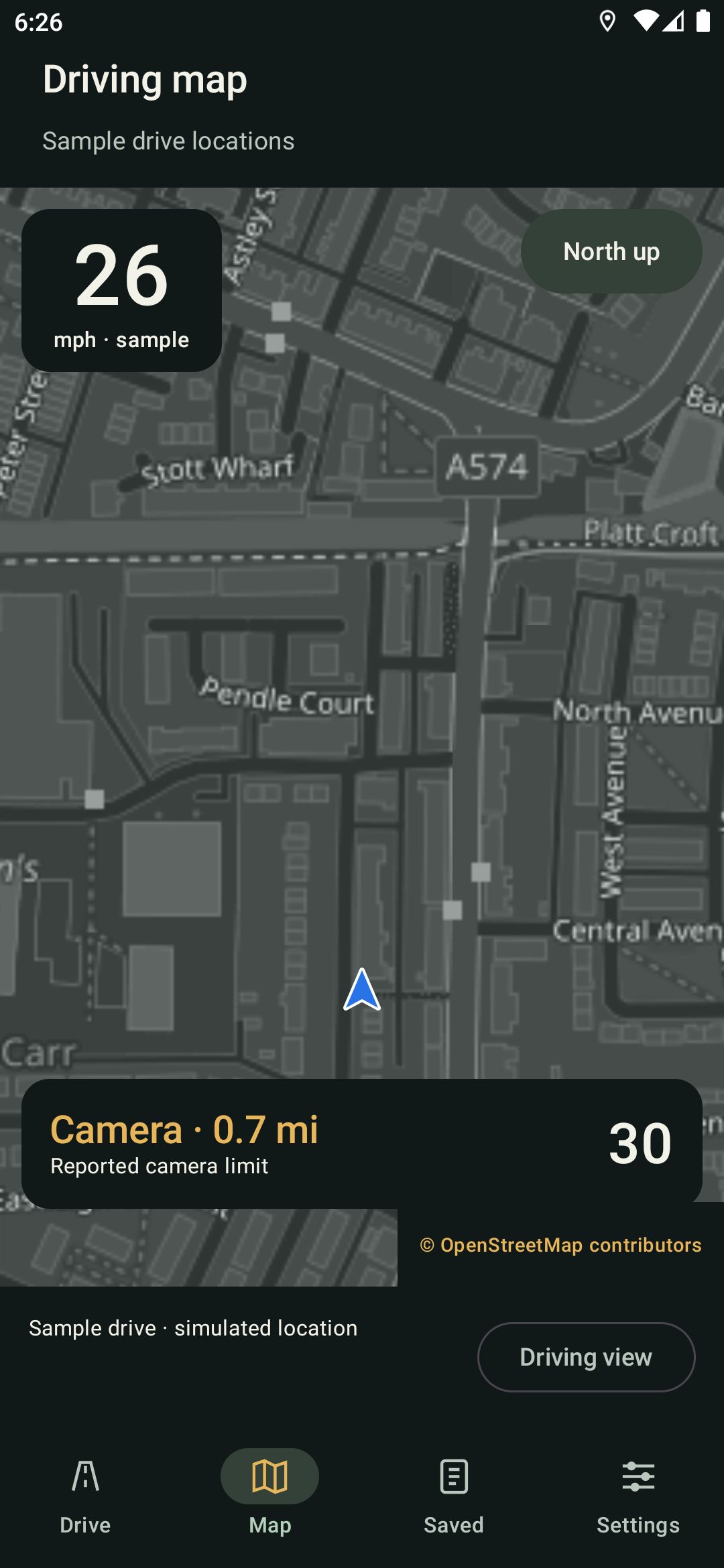
Use the sample while parked to check the Drive screen, map, voice and widget designs without recording a real journey or publishing simulated reports.
Start and stop deliberately
Start driving from the Drive screen. During an active drive, Settings shows a notice and keeps preferences locked; use its Stop drive button before making changes.
Camera coverage and recorded limits may be incomplete or out of date. Always follow road signs and drive to the conditions.
Community reports.
Accounts are optional. Offline camera warnings and driving features continue without one.
AccountCreate your contributor profile+
Open Reports, choose Create account and use a display name, email address and strong password. Email verification, shared accounts and recovery require the public community service, which is being prepared for external testers.
ReportsPublish while safely stopped+
Choose police, mobile camera, hazard, collision or closure, then submit the current location. Reports expire automatically and nearby matching reports are merged rather than duplicated.
ConfirmKeep the map current+
Use Still there or No longer there when you can do so safely. Confirmations build confidence; removal votes can shorten an outdated report’s remaining life.
WidgetQuick police report+
The Standard and Rally widgets include a Police action. It only enables during an active drive when the vehicle is stopped, GPS is fresh and a verified account is signed in.
New features and changes.
Development release notes for the current testing edition. Camera-data refreshes are separate from app releases.
v0.10.0Community reports and safer controls
- Optional account, sign-in, recovery and profile-photo screens, with the public multi-device service being prepared for external testers.
- A dedicated Reports destination for police, mobile cameras, hazards, collisions and closures, including Still there and No longer there confirmations.
- Stopped-only Police actions on both widget designs. Publishing requires a verified account and a fresh location.
- Community reports appear on the main map immediately after publishing and expire according to their category.
- Clearer map presentation, stable warning-status copy and corrected Reports navigation text.
- Settings explains why controls are locked during a drive and includes a direct Stop drive action.
v0.9.0Choose your camera alerts
- Separate speed-camera and red-light alert switches, reflected in spoken and visual warnings.
- 100, 200 or 300-yard first-warning distances, with 200 yards as the default.
- One warning per camera during the cooldown instead of a fixed-distance repeat.
v0.8.0A new look for both widgets
- Redesigned Standard and Rally Stage widgets for compact and expanded spaces.
- Larger speed readings, a circular camera-limit sign and clearer distance information.
- Rally top speed, trip distance and elapsed time, plus a full-screen Rally view.
Need help testing?
Tell us your phone model, Android version and what happened.
Email [email protected] ↗Testing edition only.
Not yet available on Google Play.